Change personal data

stormpic@aboutpixel.de

You can see which personal data has been entered for you in your certificate of enrollment, which you can download from HohCampus under My Studies > Student Services > Bescheide / Bescheinigungen.

Important: This data must match the data on your identity card or passport.

Address

You can change your contact details yourself at any time in HohCampus (My studies > Student Services > Contact details). Always change the contact details in the “Studies - Correspondence” section. The university institutions use the data entered there to contact you.

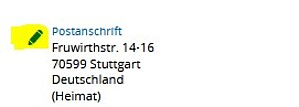
The address data can be changed using the pencil symbol.

Back to the top

Altering contact details after exmatriculation

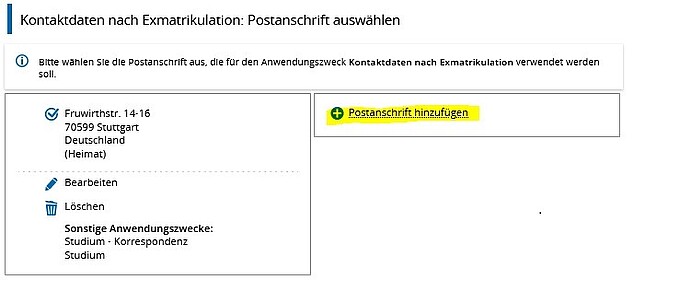
If your address changes after your studies, you can also re-enter the new address for the purpose “after exmatriculation”.

If you click here on the “pencil” for editing, a function opens that allows you to enter a new additional address:

Important: After your enrollment, the email address you used to apply to the University of Hohenheim will be entered in the email address field. Keep this address up to date if you want to be reachable even after you have exmatriculated.

Changing name, nationality or gender

If your name, nationality or gender has changed, please submit an application to change your personal data.

In these cases, the application is made online at HohCampus HohCampus (Service -> Applications -> Change of personal data):

Click on
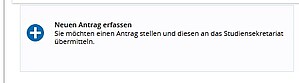
to create the application. In the next step, under Reason, indicate whether you wish to apply for a change of name, a change of nationality or a change of gender.

Once your application has been processed, your new name, nationality or gender will be listed in HohCampus.

If you would like to receive a new student ID after changing your name, please request a new student ID in HohCampus: Service -> Requests -> Notification of change

.

Back to the top

Changing other personal data

If there are any errors in your other personal data (e.g. date of birth or place of birth), please send your change request informally to the Registrar's Office byemail.  Do not forget to enclose proof.

Back to the top